


CoinOut: Receipts for Rewards
4.227.41K Reviews
App Specs
- Version
- 3.8.4-production
- Updated On
- License
- Free
- Downloads
- 1,000,000+
- Developer
- CoinOut
- Categories
- Shopping
- Platform
- Android, iOS
Screenshots


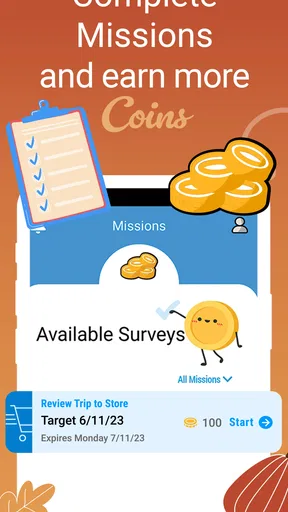
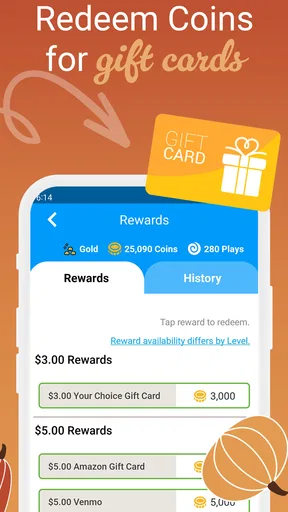
 Analysis by AppCompare
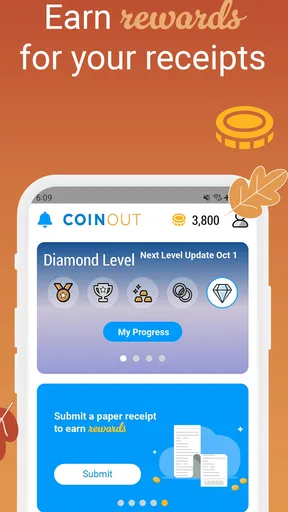
I approached CoinOut: Receipts for Rewards as a small everyday shopping tool rather than a full loyalty program. Its basic idea is easy to understand: after buying something, I scan the receipt and work toward cashback or gift cards. That makes it most interesting for people who already keep receipts and want to turn that habit into a little extra value without changing where they shop.
The app is free, aimed at Everyone, and comes from CoinOut. It sits in the shopping category, but it feels less like a digital storefront and more like a receipt-reward companion. The important distinction is that the receipt is the starting point. You are not browsing products for discounts first; you are documenting purchases afterward and checking what reward the service gives you.
That approach has a practical advantage: it can fit around normal shopping instead of asking me to plan every purchase around a campaign. It also creates the main limitation. The value depends on remembering to save readable receipts, open the app, scan them correctly, and accept that the reward may feel modest compared with the effort for a single small purchase.
How CoinOut feels during ordinary use
I find CoinOut easiest to judge by the small choices it asks me to make around a receipt, not just by the reward attached to it. In this section, I focus on where that routine fits into an ordinary day and what I would check before making receipt scanning a regular habit. That leads naturally to the more personal question of how much information I am comfortable sharing.
Quick enough for the moment when a receipt is still in my hand
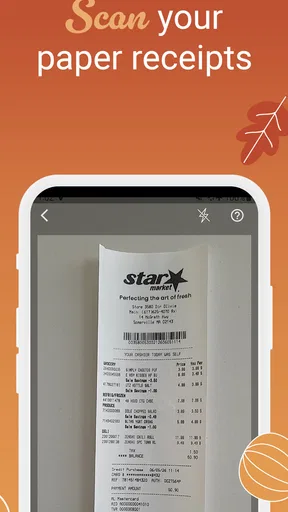
The strongest speed advantage is not that every screen must be exceptionally fast; it is that the intended action is short. When I finish shopping, the useful workflow is to keep the receipt flat, open the app, capture it, and move on. That is much more convenient than storing a paper receipt in a wallet and promising myself I will deal with it later.
I would use it immediately after a larger grocery trip or a household purchase, while the receipt is still easy to find. Delaying the scan creates unnecessary friction: receipts get folded, ink becomes harder to read, and several purchases can become difficult to separate. The best performance tip is also the simplest one: scan before the receipt disappears into a drawer.
CoinOut is not the kind of app I would open repeatedly throughout the day just to browse. Its speed matters at a specific point in the shopping routine. If the camera view opens promptly and the receipt is captured cleanly, the experience feels efficient. If I have to retake a photo because of shadows, folds, glare, or cramped framing, the time saving quickly becomes less impressive.
Worth Reading Before You Choose

EA SPORTS FC Mobile 26 Is a Bigger Football Game, but It Takes Time

Flipboard Shows What News Apps Must Do Beyond the Feed

Switching to Android Auto Means Rethinking Your Driving Routine

Google Calendar Makes a Crowded Week Easier to Manage

Ludo King Makes the Most of the Minutes Between Plans

Baby Panda World Brings Quick Play to Modern Phones, but Its Game Library Feels Busy
That is why I see the app as a low-attention tool. It should support a habit, not demand a new hobby. A person who scans receipts in batches may prefer to set aside a few minutes after shopping, while someone who dislikes handling paper will probably find the process more annoying than rewarding.
What happens when several receipts arrive together
The heavier-use moment is not a single scan; it is a week of shopping receipts waiting on a counter. CoinOut can make that pile feel manageable, but batch processing still requires discipline. I would sort receipts by date and store first, then scan them one at a time rather than grabbing random papers. That reduces the chance of confusing purchases or overlooking a receipt that has faded.
For a busy household, this workflow matters. A family member may shop for groceries, another person may buy supplies, and receipts can end up in different places. The app is more useful when everyone agrees on one simple rule: keep the receipt intact and pass it along for scanning. Without that routine, the reward opportunity is easy to lose, regardless of how polished the app feels.
I would also avoid photographing a whole stack in one rushed session under poor lighting. Receipt-reward apps depend on readable details, and speed at the camera stage is not helpful if it leads to unclear images. A clean surface, even lighting, and a fully visible receipt are more valuable than trying to finish as quickly as possible.
This is one of the less obvious trade-offs. CoinOut reduces the mental effort of remembering a loyalty code or searching for a coupon before checkout, but it shifts some responsibility to receipt care afterward. It is convenient for organized shoppers and less appealing for people who routinely throw receipts away at the register.
Reliability depends on more than the app opening
When I judge reliability here, I look at the complete path: can I open the app, capture a receipt, understand whether it was accepted, and return later without losing track of the reward? A receipt scanner can appear stable while still feeling unreliable if the result of a submission is unclear or if the user has to guess what went wrong.
My practical advice is to pause after each scan and check that the receipt has actually moved through the process before discarding it. Keeping the paper until the submission is clearly reflected is a sensible recovery habit. It protects against the most frustrating mistake: throwing away the only proof before noticing that the image was incomplete or unreadable.
This also makes CoinOut different from ordinary coupon apps. With a coupon, I usually know before paying whether the offer applies. With a receipt-reward workflow, confirmation comes after the purchase, so the app becomes part of the record-keeping process. That is useful, but it means the user needs a little patience and should not treat every successful photo as an immediate guarantee of a meaningful payout.
The app has a current version identified as 3.8.4-production, which suggests an actively maintained production build rather than an abandoned experiment. I would still keep the app updated through the normal store process, especially if scanning behavior or device compatibility changes. Updates can improve stability, but they can also alter the feel of familiar screens, so users who depend on a fixed routine should take a moment to recheck the workflow after an update.
Recovery habits that make the experience less frustrating
Receipt scanning is vulnerable to ordinary problems: a crumpled corner, a long receipt that does not fit comfortably in one frame, dim restaurant lighting, or a camera lens with fingerprints. These are not dramatic failures, but they are exactly the situations that make a quick reward task feel slow. I would flatten the paper, clean the lens, and retake the image rather than hoping a marginal photo will be understood.
For long receipts, I would pay close attention to the complete document and avoid cropping important sections. The goal is not merely to produce a sharp picture; it is to preserve enough context for the transaction to be recognized. This is a useful distinction for new users who assume that a close-up of the total is always better than a full receipt.
If a scan does not behave as expected, I would not immediately repeat the same poor photo. I would change one variable: improve the lighting, move farther away, flatten the receipt, or capture it again with the entire paper visible. That turns recovery into a controlled process instead of a frustrating guessing game.
I also recommend treating the app as a supplement to normal shopping records, not as the only place where important purchase information exists. For returns, warranties, or expense tracking, I would still retain the original receipt according to my own needs. CoinOut can help convert a receipt into rewards, but that does not make the paper irrelevant for every other purpose.
Device limits and everyday resource demands
The minimum operating system is Android 7.1, so the app is accessible to people using older Android hardware rather than requiring a recent phone. That is helpful for anyone who keeps a dependable older device as a shopping phone. Still, operating-system compatibility does not guarantee an equally smooth camera experience on every handset.
Older phones may take longer to open the camera, focus on small print, or process a large image. A phone with limited storage can also make any photo-based workflow feel less comfortable, even when the app itself is not demanding. I would avoid scanning while the device is nearly full or while several other camera-heavy apps are running in the background.
CoinOut is not an app I would expect to consume attention continuously. Its resource needs are concentrated around opening the camera, taking a receipt image, and completing the submission. That makes it relatively easy to fit into a normal phone setup, but the camera stage remains dependent on the quality and condition of the device.
For people using iOS, the same practical advice applies: keep the lens clean, use good light, and do not assume that a newer phone automatically solves every receipt problem. Tiny print, glossy paper, and long receipts challenge the capture process regardless of brand. The app’s value comes from a repeatable routine, not from treating the phone as a magic scanner.
Who will get the most from it
CoinOut suits shoppers who make frequent everyday purchases and are willing to spend a short moment documenting them. Grocery shoppers, parents managing household supplies, and people who already keep receipts for budgeting are natural candidates. In those cases, the app adds a reward step to an existing habit instead of creating an entirely new one.
A realistic example is a weekly grocery run. I would place the receipt somewhere visible when I get home, scan it before unpacking is finished, and then keep the paper until the submission is clear. That small sequence is more reliable than leaving the receipt in a car or pocket for several days. Over time, the benefit comes from consistency across ordinary purchases rather than from one unusually large transaction.
It can also work for people who do not want to install a separate app for every retailer. Traditional store loyalty programs may offer more targeted discounts, but they often require accounts, barcode presentation, or shopping within one chain. CoinOut’s receipt-centered approach is appealing when I want one place to handle purchases from different everyday shopping situations.
On the other hand, I would skip it if I rarely receive paper receipts, dislike taking photos of documents, or expect instant, predictable savings at checkout. A browser coupon, a retailer’s own loyalty app, or a card-linked offer may be better when the priority is knowing the discount before paying. CoinOut is a post-purchase reward tool, so it should not be judged as though it were a coupon finder.
How it compares with familiar alternatives
The usual alternatives fall into three groups: retailer loyalty apps, coupon services, and receipt-scanning reward apps. Retailer apps often win when I shop repeatedly at one store because they can connect discounts directly to that store’s catalog or checkout process. CoinOut is more flexible in spirit because it begins with the receipt, but it may feel less tailored to a single retailer.
Coupon services are better for planning. They help me decide what to buy before I reach the register, which can produce clearer savings on selected products. CoinOut is better for the opposite behavior: shop normally, then remember the receipt. That makes it less useful for a carefully planned bargain hunt and more useful for recovering some value from purchases I was already going to make.
Other receipt-reward apps may emphasize product offers, surveys, or specific brands. CoinOut’s appeal is its straightforward receipt-first identity. The trade-off is that a simpler routine may provide fewer reasons to open the app between shopping trips. I would choose it when I value low mental overhead more than a large menu of promotional tasks.
There is also a privacy and organization consideration for any receipt app: receipts contain purchase information, so I would read the app’s current permissions and privacy details before making it part of a long-term routine. That is not a reason to reject CoinOut automatically, but it is a sensible checkpoint whenever an app handles personal shopping records.
Value, expectations, and the reward mindset
The app is free to install, which removes the financial risk of trying it. Its average rating is 4.2 from around 63 thousand ratings, and it has passed one million installs, so it is not an obscure experiment with no visible user base. Those figures make it easier for me to recommend testing the workflow, but they do not change the central question: will I actually remember to scan receipts?
I would not install it expecting a replacement for a regular income stream. Cashback and gift cards are best viewed as a small return on a habit I already have. If I begin buying unnecessary items merely to create more receipts, the entire calculation becomes pointless. The sensible approach is to scan normal purchases and let the rewards accumulate in the background.
The developer, CoinOut, has kept the product focused on that basic exchange: receipt information in return for reward progress. That focus is a strength for users who want a simple shopping companion, but it may feel narrow to anyone looking for price comparison, detailed budgeting, or a complete loyalty dashboard.
My performance verdict after weighing the trade-offs
CoinOut feels most convincing when used quickly, immediately, and consistently. Its perceived speed comes from a short receipt-capture routine, not from eliminating every possible point of friction. Its stability is easiest to preserve when I use readable receipts, adequate lighting, and a phone with enough room to handle camera images comfortably.
The app is a good match for an organized shopper who wants cashback or gift-card progress without planning every purchase around a particular store. It is less suitable for someone who wants guaranteed checkout discounts, dislikes document scanning, or will not keep receipts long enough to process them. In those cases, a retailer loyalty program or coupon-focused alternative is likely to feel more direct.
CoinOut was released on December 7, 2017, and its current production version shows that the service has continued beyond its original launch. I appreciate that the concept remains easy to explain: scan the receipt, follow the reward process, and use the app as a small addition to normal shopping. The important expectation is proportion. It rewards consistency more than excitement.
My recommendation is to try it during a week when I already expect several purchases, rather than judging it from one receipt. Set a clear routine, keep the paper until each submission is settled, and compare the effort with the reward experience over several shopping trips. If that process feels natural, CoinOut can be a useful little habit. If even the first scan feels like paperwork, the app probably is not the right shopping companion for me.
Pros
- Simple receipt scanning process with a clean
- beginner-friendly interface.
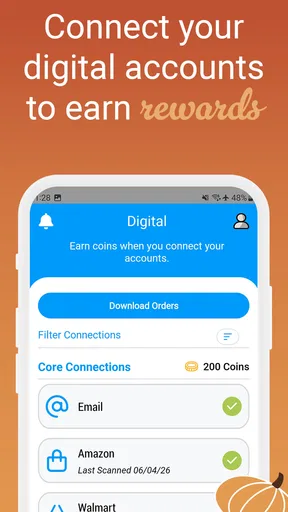
- Supports digital receipts
- reducing the need to keep paper copies.
- Rewards can be earned from everyday purchases rather than specific brands.
- Useful spending history helps users keep track of submitted receipts.
- Available rewards may include gift cards and other redemption options.
Cons
- Receipt eligibility rules can vary and may exclude some purchases or retailers.
- Rewards typically accumulate slowly unless you submit receipts consistently.
- Some features and offers may differ depending on your location.
- Receipt images must be clear
- or submissions may be rejected.
- The app may request personal and purchase data to process rewards.
FAQs for CoinOut: Receipts for Rewards
What is CoinOut: Receipts for Rewards, and how does it work?
CoinOut is a rewards app that lets you earn money or points by submitting receipts from eligible purchases. After creating an account, you typically photograph or upload a receipt through the app, where it is reviewed for qualifying information. Rewards and available redemption options can vary depending on your location, account status, promotions, and the receipt requirements in effect at the time of submission.
What kinds of receipts can I submit to CoinOut?
CoinOut generally accepts receipts from many everyday retailers, restaurants, and other participating businesses, but not every receipt will qualify. The receipt usually needs to be clear, complete, recent, and show details such as the store, purchase date, and transaction information. Before uploading, check the app’s current rules because excluded retailers, duplicate receipts, altered images, and receipts outside the allowed submission period may be rejected.
How much can I earn with CoinOut, and how are rewards paid?
The amount you can earn depends on the receipt, available offers, promotional campaigns, and the app’s current reward structure. Some submissions may provide a small fixed reward, while special offers can provide more. Once you meet any applicable requirements, rewards may be redeemable through the payment methods shown in the app, such as gift cards or other supported options. Availability and minimum cash-out thresholds can change.
Is CoinOut free to download and use?
CoinOut is generally free to download, and its core receipt-submission features are designed to be used without a subscription. However, the app may require an internet connection, account registration, and permission to access your camera or photo library. Users should also review the privacy policy and terms before joining, since receipt images and purchase information may be collected and processed to verify submissions, provide rewards, and support advertising or partner programs.
Is CoinOut safe, and what should I know about privacy?
CoinOut uses account and receipt information to operate its rewards service, verify purchases, detect abuse, and deliver promotions. As with any rewards app, you should avoid submitting receipts that reveal sensitive personal information unless the app’s policy clearly explains how it is handled. Download the official version from the Apple App Store or Google Play, use a strong password, and review the latest privacy policy, permissions, and data-sharing terms before using the service.


